How to Set up and Use Alipay in China
A complete guide for international travelers
Part Ⅰ: Preparation of Materials
Ⅰ. Download Alipay App
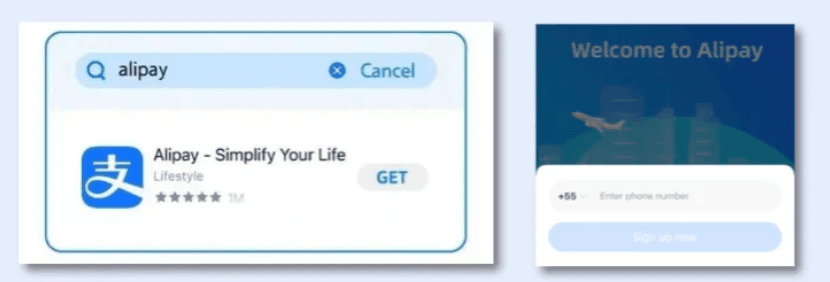
On your mobile phone, download or update your AliPay app to the latest version. Register with your phone number and sign in.
Ⅱ. Valid Identity Document
Choose any of the following:
- •Passport for overseas users
- •Mainland Travel Permit for Hong Kong/Macao/Taiwan residents (passport also accepted)
- •Foreigner's Permanent Residence Identity Card
Ⅲ. International Bank Card
Supported cards include Visa, Mastercard, JCB, Discover, Diners Club, and other major international credit/debit cards.

Ⅳ. Mobile Phone Number
Mobile Phone Number for Receiving SMS: supports international phone numbers.
Part Ⅱ: Step-by-step Instructions to Set up AliPay
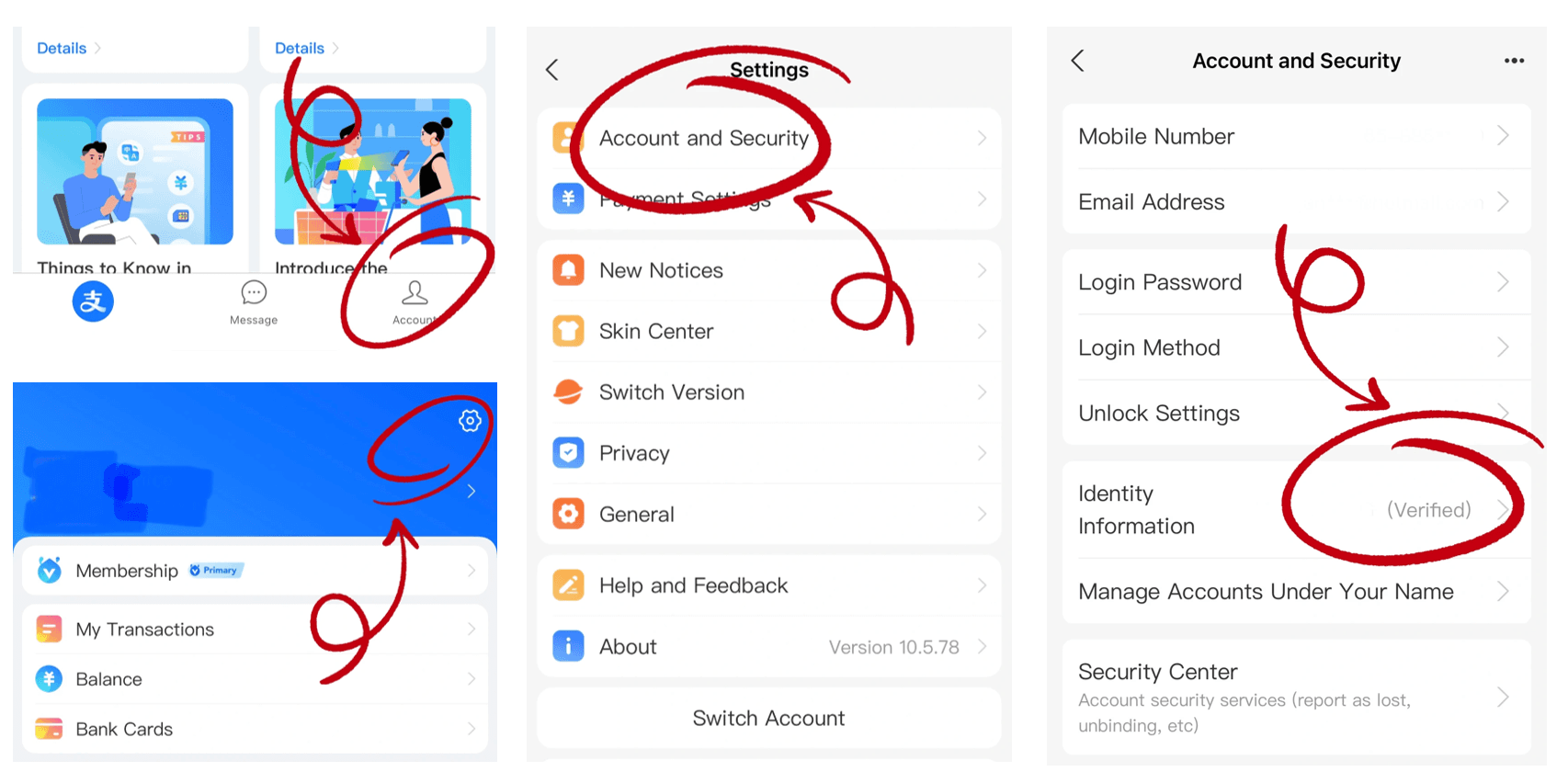
Ⅰ. Enter the Real-Name Authentication Page
Click "Me" in the lower right corner → logo in the upper right corner → "Account and Security" → "Identity Information" → "Basic Identity Information"
Ⅱ. Fill in Personal Information
Fill in information such as name, gender, type and number of the certificate, expiration date, occupation, and address as prompted.
Ⅲ. Upload Verification Photo
Back to "Identity Information" → "Verification Photo" → upload photo of your identity document, passport for example
⚠️ Real-name verification is required for payments > ¥200 per transaction
Part Ⅲ: Usage Restrictions and Precautions
Ⅰ. Access Card Linking Page
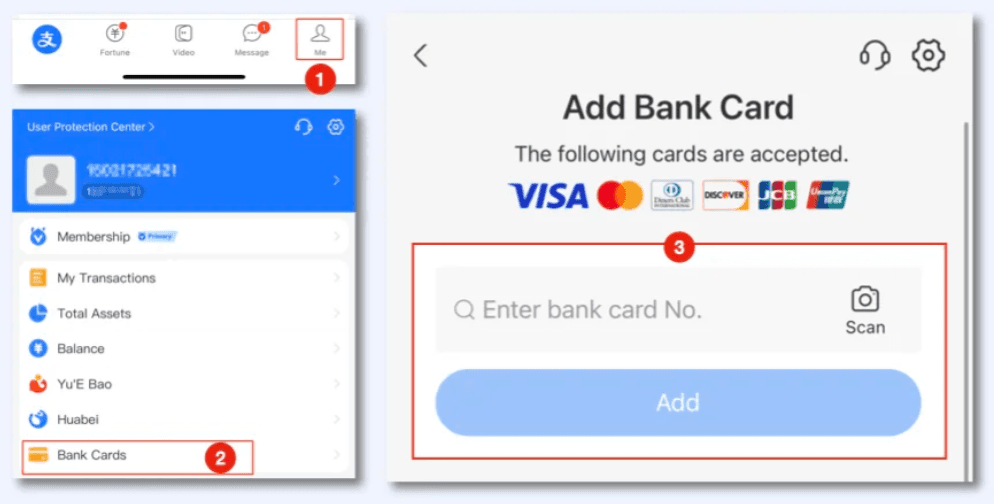
After registration, go to "Me" → "Bank Cards" → "Add Bank Card"
Ⅱ. Enter Card Details
Input card number, expiration date, CVV/CVC, and select the issuing country
Ⅲ. Available Functions
You can only use the following two functions to complete consumption payment. Functions such as red envelopes, transfers, and change recharge are not supported, because they are not related to consumption scenarios.
Ⅳ. Transaction Limits
- • Maximum per transaction: ¥5,000
- • Maximum daily transfers: ¥20,000
Ⅴ. Fees
- • ≤ ¥200: No fee
- • > ¥200: 3% handling fee
Ⅵ. Exchange Rate Calculation
Settlement is based on the real-time exchange rate of the international card organization or the issuing bank.
Part Ⅳ: Usage Quick Guide
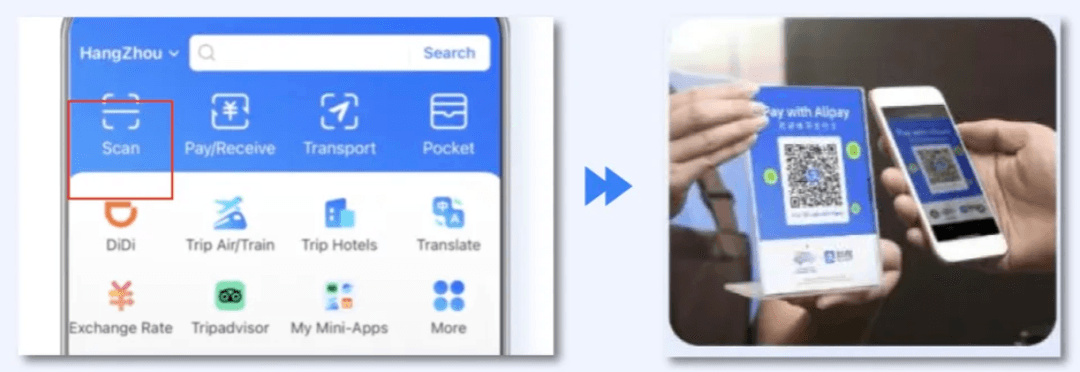
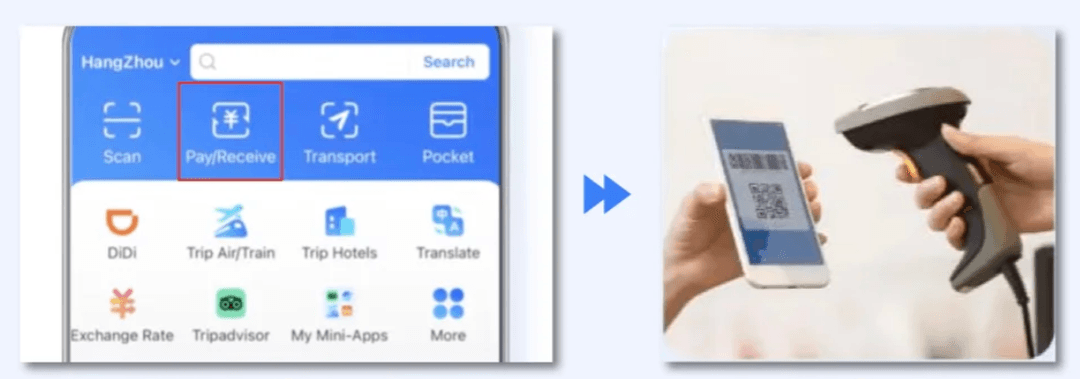
Function 1: Scan QR Code to Pay
Users can scan a merchant's collection code to make a payment while shopping.
Function 2: Present Payment Code
Users display their payment code during a transaction, and the merchant scans it to complete the payment.
Part Ⅴ: Q&A
Q1Why does real-name verification fail?
A:
- ①Ensure your name follows Surname Given Name format (matching passport)
- ②Upload passport info page + visa page (if any)
- ③Contact customer service (+86 571 2688 6000) for manual review
Q2How to unfreeze an account blocked by risk control?
A:
Submit passport + entry stamps + proof of China address (hotel/rental contract). Manual review takes 3-5 business days.
Q3Can I withdraw AliPay balance to a foreign account?
A:
Balance from foreign cards cannot be withdrawn (must be spent).
Ready to Travel China?
Get your eSIM and payment setup complete before you land
Back to Essential Checklist